Portfolio website
Show your work: a portfolio website for photographers, artists, designers and students.
A portfolio has one job: show people what you make and make it easy for them to get in touch. You don't need to know any code to build one with Kodebloc. You describe your work in a sentence or two, the AI builds the page, and you change it by chat or by hand until it feels like yours.
A real example: Haveli Light Photography
This portfolio was built with Kodebloc from one short request: a portfolio for a wedding photographer in Jaipur. It came out dark and cinematic, with a glowing cyan headline. Under the opening photo it has a list of services, a gallery, the steps of working together, words from couples, packages with prices and an inquiry form.
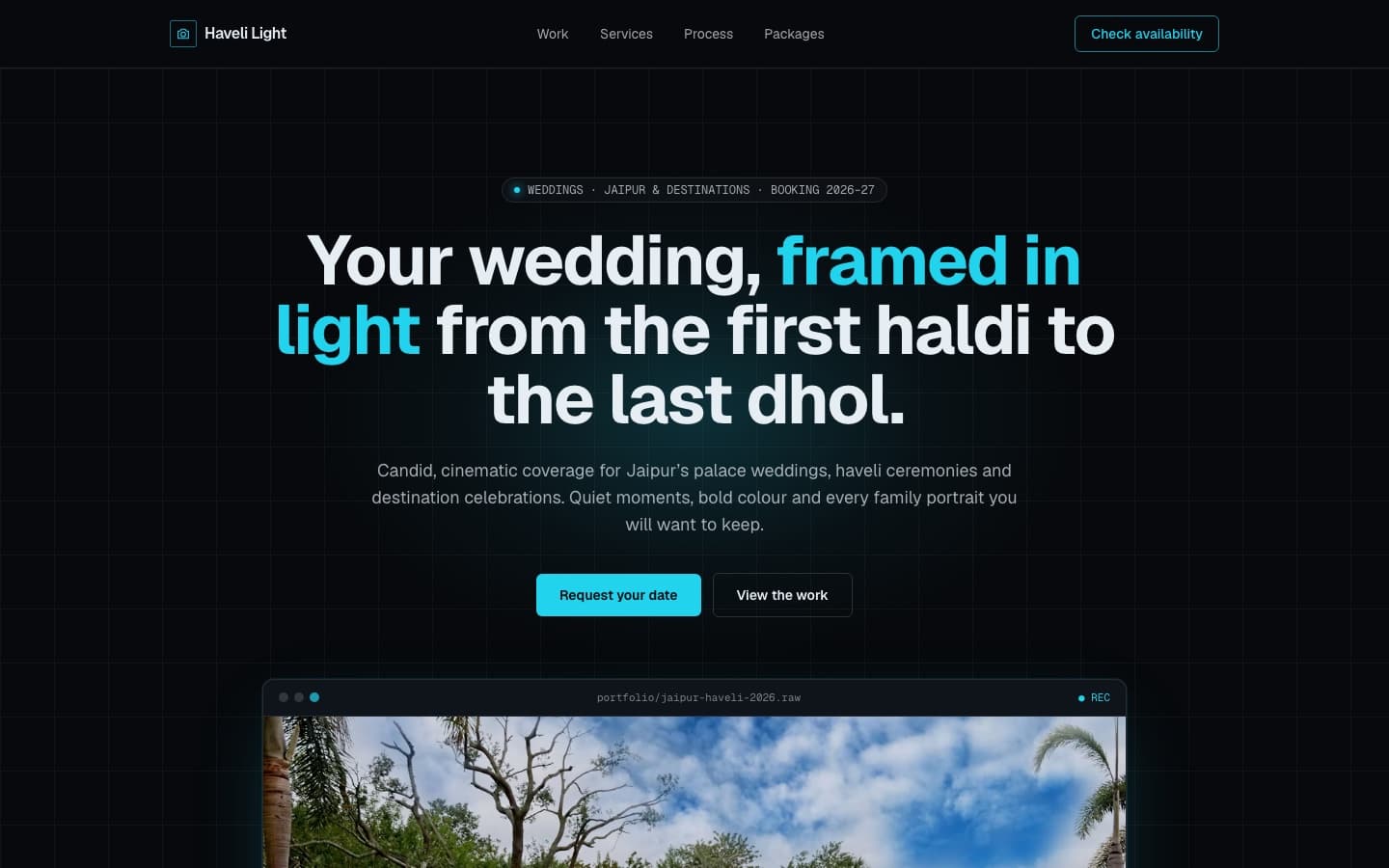
Your portfolio won't look like this one, even if you ask for the same thing. Each new website gets its own design direction, with its own fonts, colors and layout, so two photographers asking for a portfolio get two different pages. If you want a certain look, say so in your request, or pick a style such as Minimal or Luxury before you build.
What to put on a portfolio
Most good portfolios have the same few parts. Mention the ones you want in your request.
- An opening line. Who you are and what you make, in one sentence. "Wedding photographer in Jaipur" tells a visitor more than "Capturing moments."
- Your work. A gallery or a set of projects. A few strong pieces beat many average ones. For a designer, each project can have a title, the client and one line about the problem you solved.
- About you. A short paragraph on your background, your style and where you work.
- Services. What people can hire you for: portraits, logos, commissions, tutoring. Add starting prices if you are happy to share them.
- How it works. Three or four steps from first message to finished work. It answers questions before people ask them.
- Kind words. Quotes from clients, teachers or customers. Use real ones.
- A contact form. When someone fills it in on your published website, the message arrives in your Messages inbox in Kodebloc, and a copy goes to your account email.
Tips for your request
- Say what you make and for whom. "Logo and brand design for small cafes" gives the AI far more to work with than "designer portfolio."
- Give your real details. Your name, your town, your services and prices. Anything you leave out, the AI fills with sample text that you will need to replace.
- Describe the feeling. Dark and dramatic, light and airy, bold and colorful. One or two words about mood go a long way.
- Choose one page or several. One page suits most portfolios. Pick Multiple pages if you want, say, a separate page for each kind of work. A website can have up to 5 pages. See websites with more than one page.
For more on wording, read how to write a good website request.
Requests ready to build
Press Build this on any of these to start. You can change every word afterwards.
“A portfolio website for a freelance portrait photographer in Austin. Dark, moody look with a large gallery, a short about section, three portrait packages with prices, client quotes and a booking inquiry form.”Build this
“A portfolio for a graphic design student applying for internships. Clean and minimal, with six project cards that each have a title and a one-line summary, a short bio, a list of skills and tools, and a contact form.”Build this
“A website for a ceramic artist who sells handmade bowls and takes commissions. Earthy colors, a gallery of pieces, the story of my studio, how a commission works in four steps, and a contact form.”Build this
Your own photos
The photos in a new website come from Unsplash, a free photo library, and each photographer is credited on the page. That is fine for a first look, but a portfolio should show your own work in the end. To swap a photo, click it in the preview and choose Change photo, which searches Unsplash. Uploading pictures straight from your device is not available yet. Read photos in your website for the details.
Put it online
When you are happy, press Publish. Your portfolio gets its own address that you can put in your social profiles, email signature or job application. You can also decide whether it shows in the community gallery. Read publish your website and site settings to set how it looks when someone shares the link.
Kodebloc is free while in beta.
Build your portfolioStill stuck?
Send us a message on the contact page and we'll reply by email.